
The Multi-Channel Notification Problem
Your users receive notifications from your product across multiple channels: push notifications on their phone, emails in their inbox, and in-app messages when they're actively using your product. The question isn't whether to use multiple channels — it's how to use them strategically.
Most SaaS products treat channels as separate systems. Marketing sends emails, product sends in-app notifications, and mobile sends push. The result? Users get duplicate messages, conflicting information, or worse — they miss critical updates entirely because the message arrived through the wrong channel at the wrong time.
A effective multi-channel notification strategy requires understanding not just what each channel does well, but when and how they work together.
Understanding Channel Characteristics
Email: The Detailed Messenger
Email excels at delivering comprehensive, reference-worthy information. It's persistent — users can search, forward, and revisit emails weeks later. Email works well for:
- Onboarding sequences with detailed steps and resources
- Billing notifications that users need to keep for records
- Product updates with full feature explanations
- Weekly/monthly summaries with rich formatting and images
The tradeoff: lower immediate engagement rates but higher information retention. Users expect emails to be substantial and valuable enough to justify inbox space.
Push Notifications: The Attention Grabber
Push notifications are immediate and intrusive — exactly what makes them powerful for time-sensitive messages. They work best for:
- Real-time alerts requiring immediate action
- Breaking through when users are not actively using your product
- Simple, single-action prompts that can be resolved quickly
- Re-engagement for dormant users
The challenge: users guard their push permissions carefully. Send irrelevant or frequent push notifications, and you'll lose the privilege entirely.
In-App Notifications: The Contextual Guide
In-app notifications catch users when they're already engaged with your product. They're perfect for:
- Feature announcements that users can immediately try
- Progress updates related to current workflows
- Contextual tips based on user behavior
- Social notifications from team members or collaborators
The advantage: users are already in the right mindset to engage. The limitation: they only work when users are actively using your product.
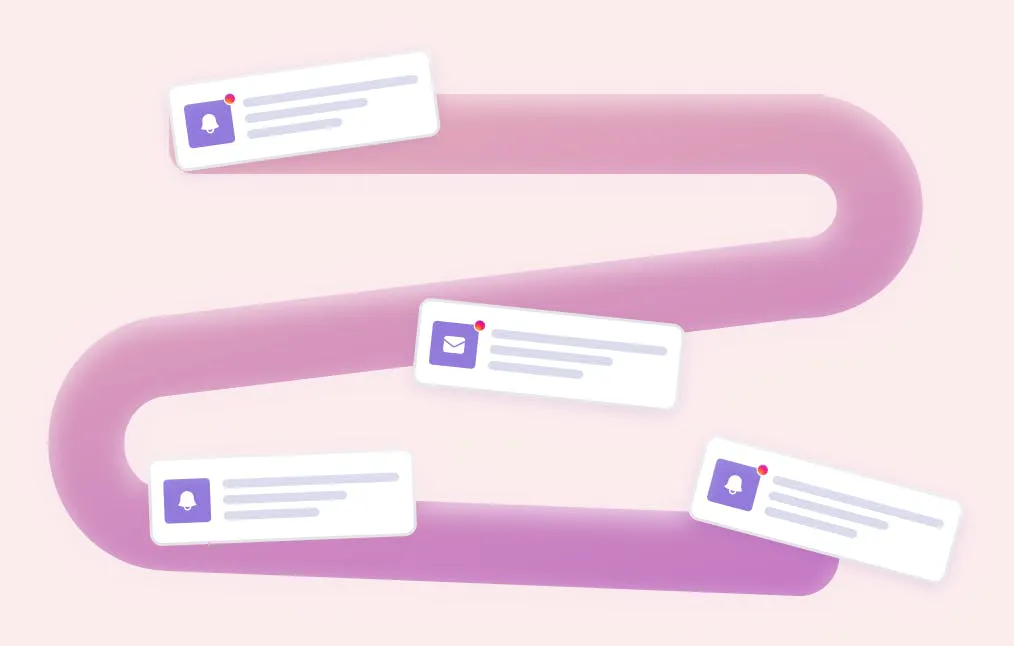
Building Channel Hierarchies
Effective multi-channel strategy isn't about using all channels for everything. It's about creating intelligent hierarchies based on message urgency, user context, and desired action.
The Urgency Matrix
Immediate action required: Push notification first, followed by in-app if the user opens your product, with email as backup documentation.
Important but not urgent: In-app notification when user is active, email for detailed follow-up.
Informational updates: Email for comprehensive information, in-app for discovery when relevant.
Social and collaborative: In-app notifications for real-time awareness, email digests for broader context.
User State Considerations
Your notification strategy should adapt to user behavior patterns:
- Active daily users: Prioritize in-app notifications with email summaries
- Weekly users: Strategic push notifications for re-engagement, with in-app follow-up
- Dormant users: Careful email campaigns with high-value push notifications
Channel Coordination Strategies
Sequential Messaging
Instead of sending the same message across all channels simultaneously, create sequences that respect user attention and channel strengths:
For a billing issue: Send an in-app notification immediately, follow with email containing full details and payment link, and use push as a final reminder only if unresolved after 24 hours.
Channel Preferences
Let users control their notification experience by channel and message type. This isn't just good UX — it's strategic intelligence. Users who opt into push notifications for specific categories are signaling high engagement intent.
Feedback Loops
Track engagement across channels to understand user preferences. If someone consistently ignores push notifications but engages with emails, respect that pattern. If in-app notifications drive immediate action but emails get archived unread, adjust your content strategy accordingly.
Common Multi-Channel Mistakes
The Spray and Pray Approach
Sending identical messages across all channels creates noise, not engagement. Each channel should add unique value or serve a different part of the user journey.
Ignoring Channel Context
A push notification saying "Check out our new dashboard features" fails because it doesn't respect the channel's immediacy. The same message works better in-app when users are exploring your interface.
Inconsistent Timing
Sending an email, push notification, and in-app message simultaneously overwhelms users and dilutes the impact of each channel. Stagger messages strategically based on user behavior and channel characteristics.
No Unified View
When teams manage different channels independently, users experience disconnected communication. Product sends in-app notifications about feature updates while marketing emails promote unrelated content, creating cognitive load instead of coherent experience.
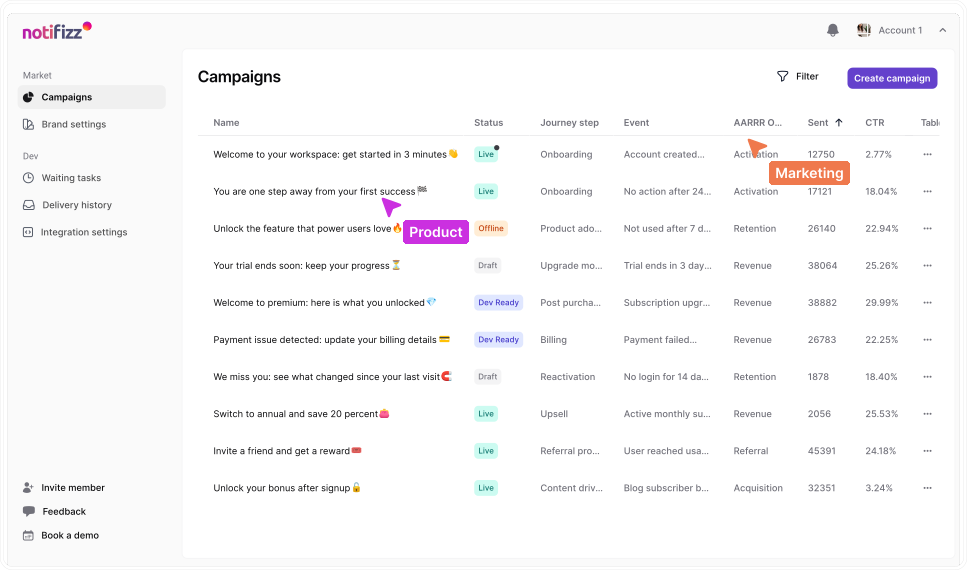
The Orchestration Challenge
The biggest challenge in multi-channel strategy isn't choosing the right channel for each message — it's coordinating channels as a unified system. Most notification tools handle individual channels well but lack the intelligence to orchestrate them strategically.
This coordination challenge is exactly why we built Notifizz differently. Rather than managing separate systems for email marketing, push notifications, and in-app messages, Notifizz treats channels as components of a unified notification strategy. You design the message flow and user journey, and Notifizz handles the channel coordination automatically.
For example, when a user's trial is ending, Notifizz can send an in-app notification during active sessions, follow up with a detailed email containing upgrade options, and use push notifications judiciously for time-sensitive reminders — all while tracking engagement across channels to optimize the sequence.
The key difference: fresh business data drives channel selection at execution time. If a user just opened your app, the in-app channel gets priority. If they haven't been active for days, email might be more appropriate. The system adapts based on real-time user context, not predetermined rules set weeks ago.
Measuring Multi-Channel Success
Success metrics for multi-channel notifications go beyond individual channel performance. Track:
- Cross-channel conversion: How many users who see an in-app notification also engage with the follow-up email?
- Channel preference patterns: Which user segments respond better to which channel combinations?
- Message fatigue indicators: Are users unsubscribing, turning off push notifications, or showing declining engagement?
- Journey completion rates: How effectively do your channel sequences guide users toward desired outcomes?
The goal isn't maximizing notifications sent — it's maximizing valuable user actions while minimizing communication overhead.
Multi-channel notification strategy succeeds when it feels invisible to users. They get the right information through the right channel at the right time, without thinking about the complexity behind the scenes. That seamless experience requires thoughtful orchestration, real-time adaptation, and continuous optimization based on user behavior.
When done well, multi-channel notifications don't just inform users — they guide them through meaningful product experiences that benefit both user and business objectives.

